
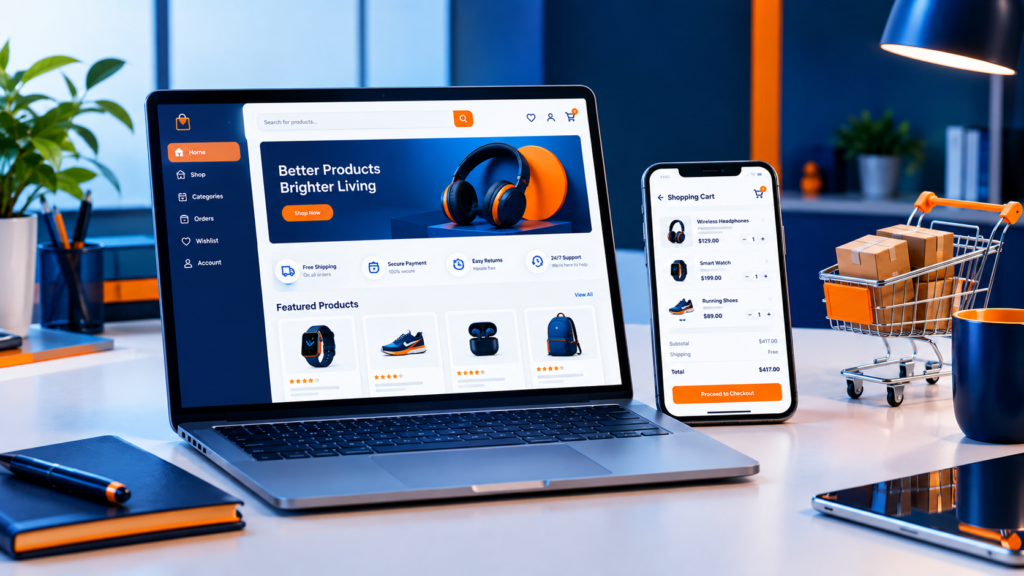
Let me guess how this went. You spent months on products. You sorted out your branding, told your friends, maybe even ran a few ads. Launch day arrived, and then… nothing much. A handful of visits. Zero orders. A few people poked around the homepage for ten seconds and vanished.
Painful. And really common.
Most of the time the products aren’t the problem. The website is. Your store is your salesperson, your shop window, and your cash register, all working night and day without a break. If any piece of that feels slow or confusing or slightly sketchy, people leave without a word. They don’t email you to explain why.
That’s the reason plenty of small business owners eventually hire an ecommerce web design company instead of wrestling with a template at midnight. A full-service partner like KPTL Services can cover strategy, design, development and growth in one place, which saves you a lot of stitching together. So let’s walk through what these companies really do, what your store needs in 2026, where most stores go wrong, and how to choose a team you won’t regret.
So What Does an Ecommerce Web Design Company Actually Do?
Here’s the misconception I hear most. People think it’s about making things pretty. Looks matter, sure. But they’re maybe a third of the job.
A good team works on three things at once. First, strategy: who buys from you, how they shop, and what stops them from clicking that final button. Second, design and user experience, meaning layouts, menus, product pages, and a checkout that doesn’t feel like filling out tax forms. Third, the technical stuff nobody sees, like the platform, payment gateways, speed tuning, security, and the connection to your inventory.
Picture building a physical shop. You wouldn’t hire someone who only paints walls. You’d want a person who thinks about where customers walk, where the till sits, how the shelves are arranged, and whether the door actually locks.
Same idea online. Look for a company that offers proper end-to-end web design services instead of a freelancer who sends over a gorgeous mockup and then goes quiet. Design, development and marketing thinking need to happen together. A store that looks amazing but chokes on real orders is basically an expensive poster.
Why Stores Quietly Lose Sales
Before we get into features, let’s talk about what goes wrong. I’ve seen the same handful of problems over and over, and the good news is that all of them can be fixed.
Layouts that make people think too hard
A visitor should understand three things within a few seconds: what you sell, who it’s for, and where to click next. Overstuffed menus, categories that overlap, a homepage shouting ten messages at once? People freeze. And frozen shoppers don’t buy.
Simplify. Name your categories the way a customer would say them out loud, not the way your supplier labels them. Give each page one job. Put your best sellers where eyes land first and let the rest wait.
A mobile experience that feels like an afterthought
Most people browse on their phones. Plenty buy there too. Yet loads of small business sites are basically shrunken desktop pages with tiny buttons, sideways scrolling, and text you have to pinch to read.
Design for the phone first. Then stretch up to desktop, not the other way around. Make buttons big enough for a thumb. Make forms bring up the right keyboard, so a phone number field shows numbers. And please test on actual phones, not just a squished browser window on your laptop.
Pages that crawl
Nobody waits. Heavy images, too many plugins, weak hosting and messy code all slow a store down, and search engines notice too. So you get hit twice: fewer people find you, and fewer of those stay.
The fixes are pretty practical. Compress and resize images. Use modern image formats. Delete the apps you don’t really need. Turn on caching and use a content delivery network. A decent agency will measure your site against Google’s Core Web Vitals and fix whatever is dragging.
Checkout that fights the customer
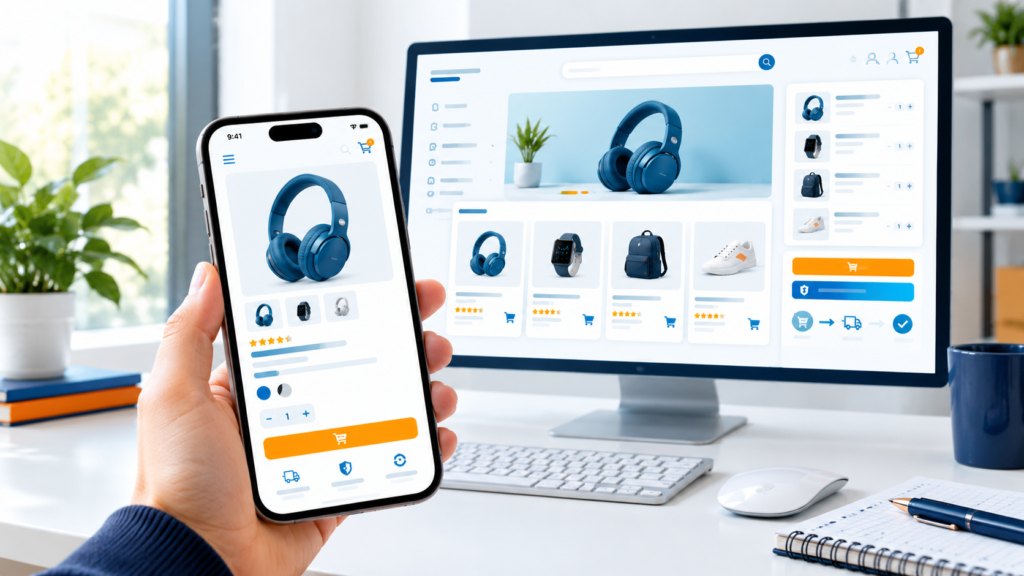
This one hurts most. Someone put items in their cart. They basically raised their hand and said “I want this.” And then you ask them to create an account, fill in twelve fields, decode a surprise shipping charge, and retype their address because of a formatting glitch.
Of course they leave.
Offer guest checkout. Cut every field you can live without. Show shipping details early. Accept the payment methods your customers already use. Add a simple progress indicator. Every extra step gives someone a reason to bail.
Nobody guiding the project
A lot of owners grab a template, install a few apps, cross their fingers and hope. Nobody tells them their product pages are missing the details shoppers need, or that their category structure confuses search engines, or that their analytics aren’t tracking anything useful. You end up guessing, and guessing is expensive in ways that don’t show up on an invoice.
Work with people who ask questions before they open a design tool. A good ecommerce web design company wants to know your customers, your margins, your shipping headaches and where you want to be in two years. If they skip all that and jump straight to colors, that tells you something.
Your Foundation Matters More Than the Fancy Stuff
Quick story about how owners learn this the hard way. They pour energy into beautiful product photos and clever ads, and growth still stalls. Why? The structure underneath is shaky.
Think about your whole site for a minute. Does the homepage lead naturally into your categories? Do the About and Contact pages build trust, or feel like filler? Can a stranger figure out your brand without digging around? These little things quietly shape conversions and search rankings. If you want a friendlier deep dive on how layout and growth planning fit together for smaller brands, this piece on website design for small business covers the basics well.
A few habits worth building early:
- Plan your site structure before you design a single page. A clear set of categories and subcategories helps shoppers and search engines alike.
- Build for growth. Pick layouts and platforms that can handle more products and more traffic without forcing a full rebuild.
- Keep your branding consistent, from the homepage right through to the order confirmation email.
- Build trust on every page, not just at checkout. Real contact details, clear policies, honest writing.
Get this stuff right and every later improvement works harder for you.
The Features a Good Store Can’t Live Without
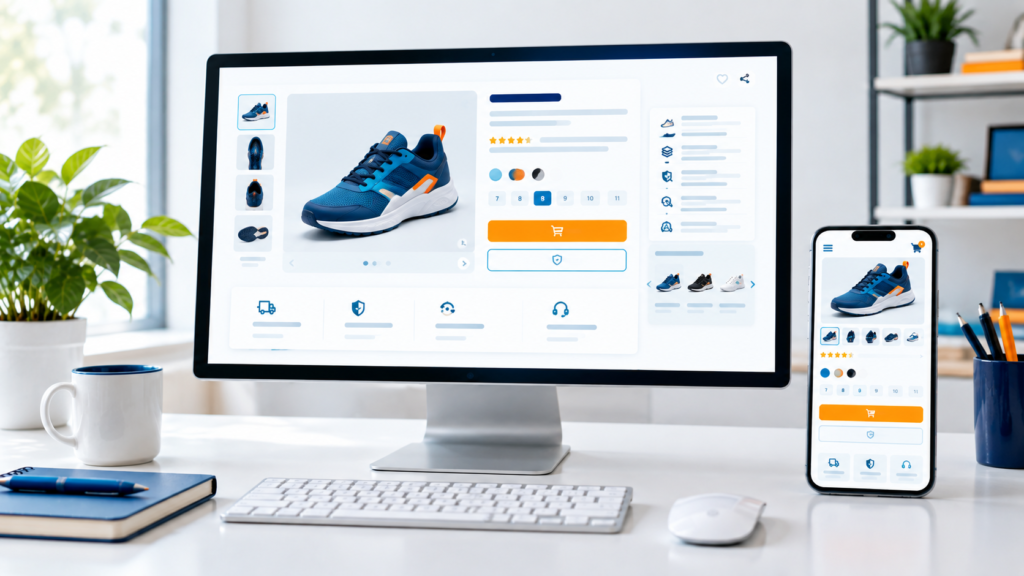
If you’re auditing your current store or interviewing agencies, this is your checklist. It’s what separates stores that sell from stores that merely exist.
Mobile that actually works
Responsive design means your store adapts to any screen. But real responsiveness goes deeper than layout. Product images should load fast on mobile data. Menus should open easily with one thumb. Checkout forms shouldn’t put up a fight.
Here’s a little trick. When you talk to an agency, ask to see their mobile examples first. If they only show desktop screenshots, well, there’s your answer.
Speed
Speed isn’t a nice extra. It’s arguably the feature. Your homepage, category pages and product pages all need to load quickly, even on an average connection. Fast stores feel safe. Slow ones feel risky, and nobody hands over card details to a site that feels wobbly.
Secure checkout and payment options people trust
Non-negotiable. You need an SSL certificate, secure payment processing, and compliance with payment industry standards. But security is also about what shoppers see. They want familiar options: major cards, digital wallets, and depending on where you sell, local payment methods or buy now pay later choices.
Trust signals help a lot too. Secure payment badges, a return policy written in plain English, a real phone number or email. First-time buyers are nervous, and these little things calm them down.
Filtering and search that make sense
Once you have more than a handful of products, browsing turns into hard work. Filters for size, color, brand, material and availability let people narrow things down in seconds. A search bar that forgives typos and suggests products as someone types can lift conversions noticeably.
In 2026, shoppers expect search to understand what they mean, not just what they typed. Someone searching “gift for a runner” should see actual running gear, not a sad blank page. Many platforms and search tools handle this now, so make sure whoever builds your store knows how to set it up.
Inventory management you can rely on
Selling something you don’t have in stock wrecks trust fast. Good inventory management keeps your numbers accurate across your store, any marketplaces, and a physical location if you have one. It should handle variants like sizes and colors, send low-stock alerts, support back-in-stock notifications, and ideally talk to your accounting and shipping tools.
Sell on several channels? Integration matters even more. A smart team will map how your business really runs before picking tools, instead of squeezing you into a setup that creates extra manual work every single day.
Product pages that answer questions
This is where buying decisions happen. Sharp photos from several angles. Honest descriptions. Clear specs. Size guides where they matter. Reviews. An add-to-cart button nobody can miss. Short videos are great for anything people want to see in action.
Write for humans first. Answer whatever a customer would ask if they were standing right in front of the product.
SEO baked in
A beautiful store nobody can find won’t pay the bills. Clean URLs, proper headings, fast loading, product structured data, optimized images and sensible internal links belong in the build from day one. Bolting SEO onto a finished site is always messier than planning for it.
Accessibility
It’s the right thing to do, and it’s smart business. Good color contrast, keyboard navigation, descriptive alt text and clear form labels make your store usable for more people. Expectations and regulations around this keep tightening in many regions, so a professional agency should treat it as standard, not a bonus.
Shopify, WooCommerce or Magento in 2026?
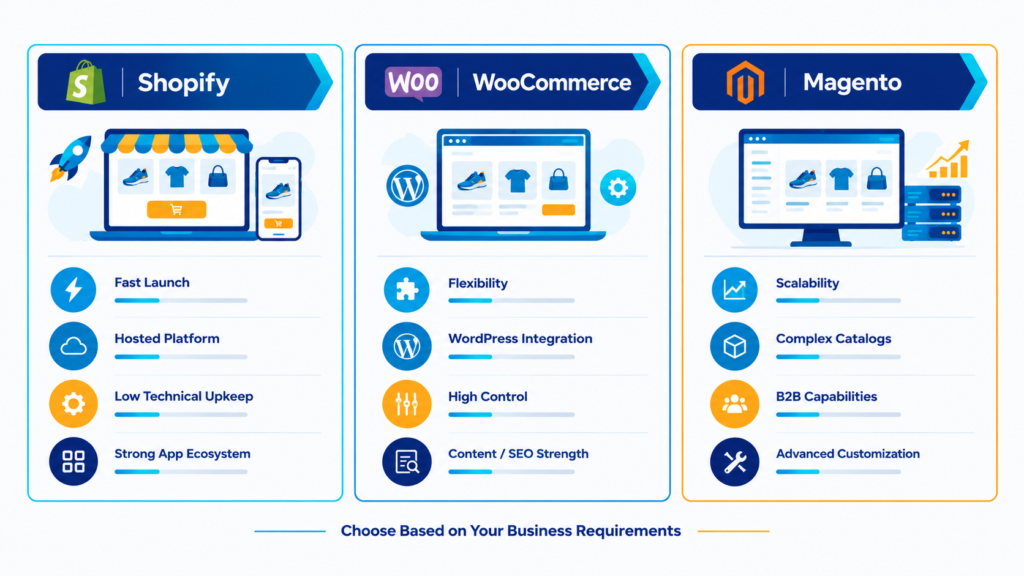
Your platform is the ground your store stands on, and switching later is a real headache. Here’s my honest take on the big three for small businesses. Your situation is unique, so treat this as a starting point and not gospel.
Shopify
Shopify is still the default pick for many small businesses, and there’s a reason. It’s hosted, so security, updates and hosting are handled for you. Setup is quick. Checkout is well tuned. The app ecosystem covers almost everything, from subscriptions to loyalty programs, and its tools for selling across social platforms, marketplaces and different regions have grown a lot.
It’s best for people who want to launch fast, keep technical upkeep low, and spend their time selling. The catches? Some customization limits, and a strong temptation to pile on apps until your store slows to a crawl.
WooCommerce
WooCommerce is a free plugin that turns a WordPress site into a store. Flexibility is its superpower. You own your data, you can change nearly anything, and it pairs beautifully with WordPress’s content and SEO strengths. If blogging and guides are a big part of your plan, that’s a real edge.
It suits owners who want full control and strong content integration. But you’re on the hook for hosting, security and updates, and careless plugin choices cause speed and stability trouble. This is exactly where a skilled development partner earns their keep.
Magento (Adobe Commerce)
Magento is powerful and scalable, built for big catalogs, multiple storefronts, complicated B2B rules and heavy customization. It also demands the most from your developers and takes the most ongoing management.
For large or fast-scaling businesses with complex needs and technical resources, great. For most small businesses? It’s more platform than you need.
Okay, so which one?
Rule of thumb. Want simple and fast? Shopify usually fits. Want maximum flexibility and content muscle? Look hard at WooCommerce. Running something genuinely complex? Magento might be worth it.
Whichever way you lean, the setup matters as much as the platform. Themes, integrations, payment gateways, shipping rules and product data all have to be configured properly, and that’s the territory of dedicated ecommerce development. Pick a partner who recommends a platform based on your goals, not whatever they happen to be comfortable with.
What’s Shaping Ecommerce Design in 2026

A few shifts to keep on your radar while you plan.
AI-assisted shopping. Smarter search, personalized recommendations and chat assistants that answer customer questions are becoming normal. You don’t need to chase every shiny tool. But a store that ignores the trend will start feeling dated.
Headless and composable builds. Bigger brands increasingly split the front end from the back end for speed and flexibility. Small businesses rarely need it right now, though it’s comforting to know your platform won’t box you in later.
Social and video commerce. More people discover products through short videos and feeds. Your store should plug into those channels and make buying easy right after discovery.
Performance as a revenue factor. Speed and stability get more attention from search engines and shoppers every year.
Trust and transparency. Clear shipping timelines, easy returns and honest reviews carry real weight. Shoppers have met enough shady stores to be picky.
How to Pick the Right Ecommerce Web Design Company
Here’s the practical part. Not every agency is equal, and a few will happily take your deposit and disappear.
Start with the portfolio, but look at it critically. Don’t just admire the visuals. Open their client sites on your phone. Are they fast? Is checkout smooth? Does the navigation make sense?
Ask about their process. A confident team can explain discovery, design, development, testing and launch without waffling. Vague answers are a warning sign.
Check platform experience. You want people who’ve actually built stores on the platform you’re considering, not people who’ve just read about it.
Ask how they handle speed, security and SEO. If those show up as optional add-ons, be careful. They should be part of the build.
Find out what happens after launch. Is there support? Updates? Training so you can manage products and orders yourself? A store is a living thing. It needs care.
Talk to past clients if you can. Reviews and references reveal how a team communicates, whether they hit deadlines, and how they behave when something goes wrong. Something always goes wrong eventually.
And pay attention to how they listen. The best agencies ask more questions than they answer in that first call. If someone pitches a solution before understanding your business, keep looking.
Red flags? Promises of instant results. No clear timeline. Reluctance to explain technical choices in plain language. A portfolio where every site looks like the same template in different colors.
What a Typical Project Looks Like
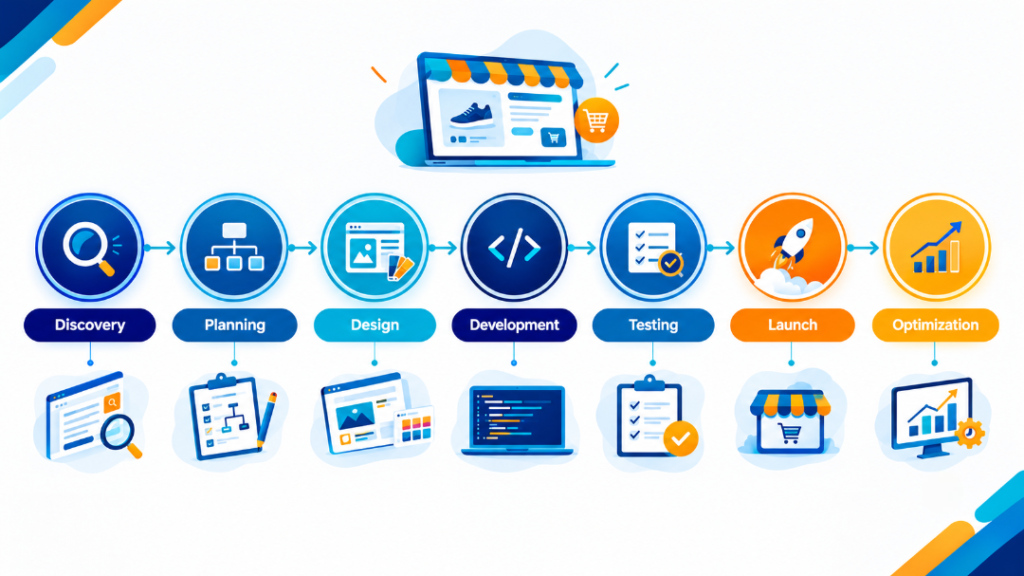
Knowing the journey keeps expectations realistic, so here’s roughly how it goes.
It starts with discovery. You talk goals, audience, products, competitors and whatever’s broken on your current site. Then planning, where the team maps site structure, chooses the platform and lists features and integrations. Then design. You review layouts and give feedback, and mobile designs should get equal attention to desktop.
Development comes next. The store gets built, products are loaded, and payment and shipping tools are connected. Testing follows: speed, security, checkout flows, different devices and browsers. Then launch, plus training so you know how to run things. And after that, optimization, where real data guides improvements over the following weeks and months.
Your part matters too. Send product details, images and brand info promptly. Give clear feedback. Projects go smoothest when both sides talk honestly and often.
After Launch, the Real Work Starts
Launch day is the starting line, not the finish. Once real shoppers show up, watch them. Where do they drop off? Which products get lots of looks but few sales? Which pages are slow?
A few habits that pay off over time:
- Check your analytics regularly, and actually act on what you see.
- Keep your platform, themes and plugins updated.
- Refresh photos and descriptions as you learn what customers care about.
- Test small changes one at a time, like button wording or page layout.
- Collect customer reviews consistently and show them off.
A lot of owners find it works well to keep their agency involved for ongoing improvements, instead of treating the relationship as a one-time handoff.
Quick Answers to Common Questions
How long does it take to build an online store?
Depends on your catalog size, the features you want, and how fast you send content. A simple store can come together fairly quickly. A custom build with lots of integrations takes longer. A good agency gives you a realistic timeline up front.
Can I upgrade my current store instead of starting over?
Often, yes. A redesign can fix navigation, speed, mobile layout and checkout without a total rebuild. A professional audit will tell you whether an upgrade is enough or a fresh start makes more sense.
Do I need to know how to code?
Nope. Modern platforms are built so owners can manage products, orders and content without technical skills. Your agency should walk you through the basics.
Is a template good enough?
It’s a fine starting point. But templates rarely reflect your brand or solve your particular customer problems on their own. Customization is usually where stores start to stand out and convert better.
Final Thoughts
Your online store is your first impression, your main sales channel and your ongoing relationship with customers, all sitting in one place. It deserves real effort.
Focus on the fundamentals. Fast. Mobile-friendly. Clear layout. Secure, simple checkout. Smart filtering. Reliable inventory. Pick a platform that fits your real needs, not the one everyone else is raving about this month. And partner with people who take time to understand your business before they start building.
If you’re ready to launch a new store or rescue one that isn’t performing, start with a conversation about your goals. The right design partner will listen first, then build something that turns browsers into buyers.