
Quick Answer
A strong healthcare digital marketing strategy has five parts. Build a fast, trustworthy website. Claim and optimize your Google Business Profile. Publish helpful health content. Collect honest patient reviews. Make booking an appointment simple. Do these five things consistently and more local patients will find you, trust you, and call you.

Why Healthcare Digital Marketing Matters Today
Think about the last time you felt unwell or worried about a symptom. You probably did not ask a neighbor first. You most likely picked up your phone and searched online.
Your patients do the same. They search for “dentist near me,” “child specialist open now,” or “skin doctor for acne.” Then they compare the first few results, read reviews, and choose.
So if your clinic does not show up, someone else gets that patient. That is the main reason a healthcare digital marketing strategy matters, especially for small clinics and new practices with limited budgets.
The good news is that you do not need a huge budget. You need a clear plan and steady effort. This guide walks you through each step in plain language.
Step 1: Understand How Patients Search for Care
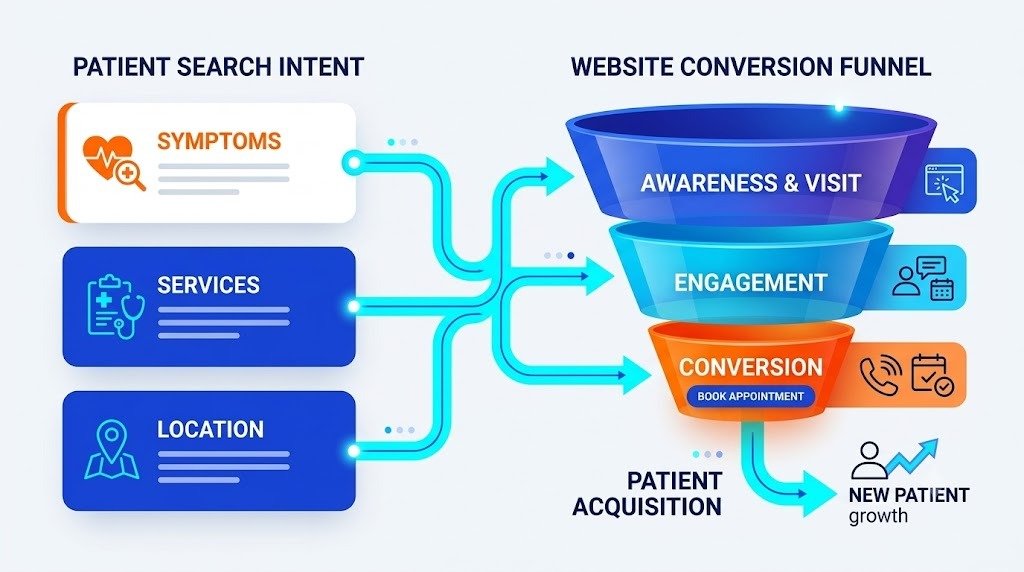
Before you spend money, learn how your patients think. Most people search in three ways.
- Symptom searches: “knee pain when climbing stairs”
- Service searches: “root canal treatment cost”
- Location searches: “gynecologist near me”
Each type needs different content. For example, symptom searches suit blog posts. Service searches suit dedicated service pages. Location searches suit your Google Business Profile.
Quick tip: Write down the 20 questions patients ask you most often at the front desk. Those questions are your best content topics, because they come straight from real people.
Google’s recent updates reward content written from real experience. Health topics are held to an even higher standard. That is why your first-hand knowledge as a doctor is a real advantage. Use it.
Step 2: Build a Fast, Patient-Friendly Website
Your website is your digital reception desk. Therefore, it should welcome people, answer their questions, and guide them to the next step.
What a Good Clinic Website Needs
- Clear services: Give each service its own page.
- Doctor profiles: Show your photo, qualifications, experience, and registration details.
- Contact details: Put your phone number, address, and map on every page.
- Booking option: Offer a simple appointment form or WhatsApp button.
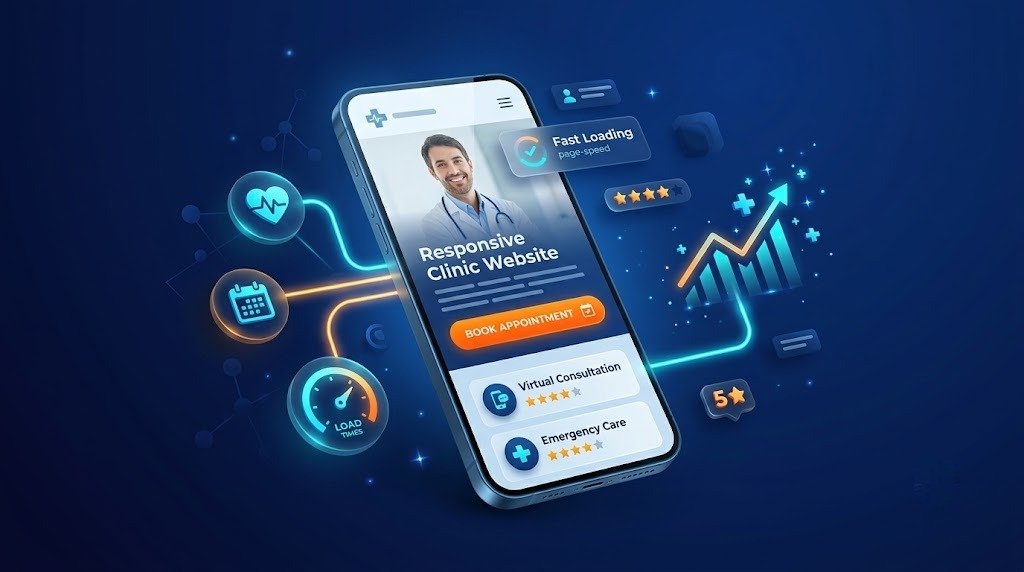
- Mobile-first design: Most patients browse on their phones, so check how your site looks on a small screen.
- Fast loading: Slow websites lose visitors quickly. Compress images and avoid heavy plugins.
Common Website Mistakes
Many small clinics make the same errors. Their sites use stock photos instead of real ones. They hide the phone number. They cram too much text into one page. As a result, visitors leave without booking.
A professional web design service can fix these issues. It also helps you build trust from the first click. Good UI/UX design makes it easy for an anxious patient to find what they need in seconds.
Step 3: Master Local SEO and Google Business Profile
For most clinics, local search brings the highest-quality patients. People searching “near me” usually want an appointment soon.
Optimize Your Google Business Profile
Your Google Business Profile (GBP) appears in the map results and the right-hand panel. To get the most from it:
- Claim and verify your profile.
- Choose the right category, such as “Dentist” or “Pediatrician.”
- Add accurate hours, including holidays.
- Upload real photos of your clinic, team, and equipment.
- List your services with short, clear descriptions.
- Post updates regularly, such as health camps or new services.
Keep Your Details Consistent
Your clinic’s name, address, and phone number should match everywhere online. This includes your website, directories, and social pages. Inconsistent details confuse search engines and can hurt your ranking.
Create Location Pages
If you serve more than one area, create a simple page for each. Include the local landmarks, parking details, and the doctors who work there. This helps both patients and search engines.
Step 4: Create Helpful Content That Builds Trust
Content is where your expertise shines. However, many clinics publish generic articles copied from other sites. Google’s helpful content guidance favors original, people-first writing, so avoid that trap.
Content Ideas That Work
- Answer common questions: “How long does a dental implant last?”
- Explain procedures: Describe what happens before, during, and after.
- Share prevention tips: Seasonal advice works well, such as monsoon health or winter care.
- Bust myths: Correct common misunderstandings in simple words.
- Add patient stories with written consent, while protecting privacy.
How to Write for Patients
Use short sentences and everyday words. Replace medical jargon with plain language, or explain the term right away. Also add your name and credentials to each article so readers know a real expert wrote it.
Finally, remember that health content must be accurate. Review every article before publishing, and update older posts when guidelines change.
Step 5: Use Social Media and Short Videos
Social media does not replace search, but it builds familiarity. When people see your face regularly, they feel more comfortable walking into your clinic.
Platforms That Suit Clinics
- Instagram and Facebook: Good for tips, clinic updates, and community engagement.
- YouTube and Reels: Good for short explainers, such as “3 exercises for back pain.”
- LinkedIn: Helpful for specialists who want referrals from other professionals.
- WhatsApp Business: Ideal for appointment reminders and quick patient queries.
A Simple Posting Plan
You do not need to post daily. Instead, try this weekly rhythm:
- One educational post
- One short video
- One patient-friendly update, like a new service or an offer
Consistency beats volume. Even so, strong visuals matter. Professional graphic design keeps your posts clean, readable, and recognizable.
Step 6: Collect and Manage Patient Reviews
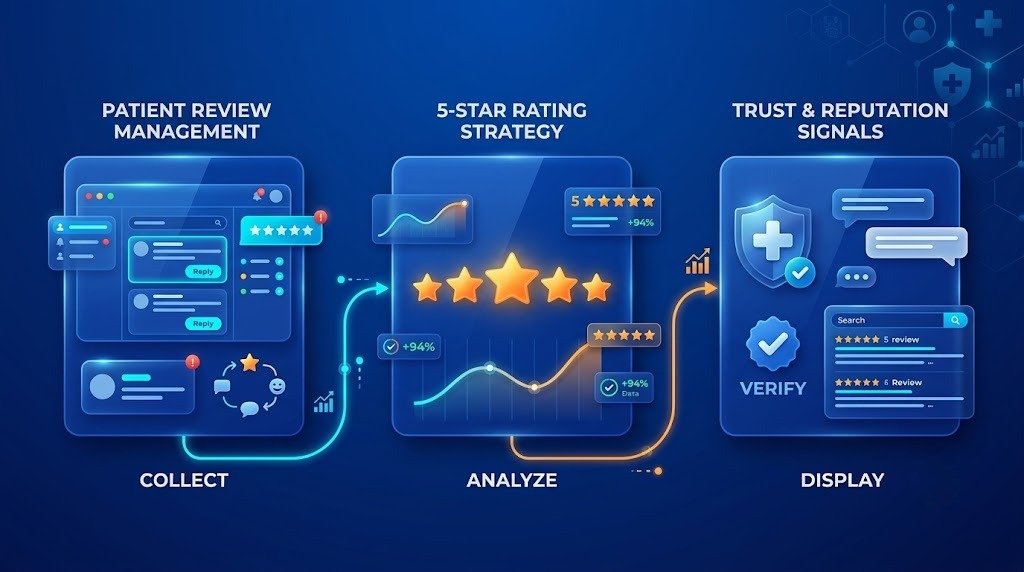
Reviews are among the strongest trust signals for a clinic. Patients read them before they ever call.
How to Get More Reviews
- Ask happy patients at the end of the visit.
- Send a short review link by WhatsApp or SMS.
- Print a QR code for your reception desk.
- Thank every reviewer, whether the review is short or long.
How to Handle Negative Reviews
Stay calm and reply politely. Do not share any patient’s health details in public. Instead, invite them to contact you privately to resolve the concern. A professional response shows future patients that you care.
Also, never buy fake reviews. It violates platform rules, and it can damage your reputation permanently
Step 7: Use Paid Ads Wisely
Paid ads can bring patients faster than SEO. However, they work best after your website and Google profile are ready. Otherwise, you pay for clicks that do not convert.
Where to Start
- Google Search Ads: These show your clinic when people search for a specific service.
- Local Service or Maps Ads: These help you appear at the top for nearby searches.
- Social Media Ads: These suit health camps, new launches, and awareness campaigns.
Budget Tips for Small Clinics
Start small, perhaps with one service and one location. Track every call and form submission. Then increase the budget only on what works. In addition, send ad visitors to a dedicated landing page instead of your homepage. A focused page usually converts better.
Note that healthcare ads follow strict platform policies. Review these rules before launching, and avoid exaggerated claims.
Step 8: Strengthen Your Clinic Brand
Many doctors skip branding because they think it is only for big hospitals. In reality, branding helps small clinics stand out in crowded areas.
What Healthcare Branding Includes
- A simple, memorable logo
- Consistent colors and fonts
- A friendly tone of voice
- Professional photos and printed materials
When your signboard, website, and social pages all look alike, patients remember you. Moreover, a consistent look signals professionalism and care. That recognition leads to more referrals over time. Strong branding services can give your practice that clear identity.
Step 9: Make Booking Easy and Follow Up
Many clinics lose patients at the very last step. The patient is interested, but the booking process feels confusing.
Simplify the Journey
- Add a “Book Appointment” button at the top of every page.
- Offer more than one option: call, form, or WhatsApp.
- Reply to inquiries quickly, ideally within an hour during working hours.
- Send reminders to reduce missed appointments.
- Follow up after treatment with a care message and a review request.
Small touches like these improve patient satisfaction. Better yet, they turn first-time visitors into long-term patients.
Step 10: Track Results and Improve
A healthcare digital marketing strategy only works if you measure it. Fortunately, you only need to watch a few numbers.
| What to Track | Why It Matters |
| Website visitors | Shows if your reach is growing |
| Phone calls and form fills | Shows real patient interest |
| Google Business Profile views | Shows local visibility |
| Review count and rating | Shows trust level |
| Cost per appointment | Shows if ads are worth it |
Use free tools like Google Analytics and Google Search Console. Review the numbers monthly, then adjust your plan accordingly.
Important: Follow Healthcare Advertising Rules
Medical advertising rules differ by country and by profession. In some regions, doctors face limits on promotional claims, testimonials, and before-and-after images. Therefore, check the guidelines from your local medical council before publishing.
As a safe rule, focus on education rather than promotion. Avoid guaranteed results. Always protect patient privacy.
Why KPTL Services Is a Smart Choice for Small Healthcare Businesses

Many agencies focus on large hospitals and big budgets. Small clinics and startups often need something different: clear guidance, practical design, and a partner who respects their budget.
That is where KPTL Web Solution can help. The team supports small businesses with design-led services that turn visitors into customers.
How KPTL Services Helps Your Practice Grow
1. High-Converting Graphic Design
Your visuals shape first impressions. KPTL Services creates clean social media graphics, brochures, banners, and clinic print materials that look professional and communicate clearly. Explore their graphic design services to see how.
2. Branding That Builds Trust
A clear brand makes your clinic memorable. KPTL Services helps you develop a logo, color palette, and visual identity that feels consistent across every touchpoint. Learn more about their branding solutions.
3. UI/UX Design for Better Patient Experience
Good UI/UX removes confusion. The goal is simple: help patients find your services, understand your offers, and book an appointment without frustration. See how UI/UX design can improve your patient journey.
4. Web Design That Turns Visitors Into Patients
A modern, mobile-friendly website is the base of your online presence. KPTL Services builds websites designed to look professional, load quickly, and guide visitors toward contacting you.
What Makes KPTL Services Different
- Small-business focus: Solutions fit startups and growing clinics, not just large corporations.
- Conversion-minded design: Every layout aims to help visitors take action.
- All-in-one support: Design, branding, and web development come from one team, so your look stays consistent.
- Clear communication: You get plain-language guidance instead of confusing technical terms.
Ready to Get More Patients Online?
Your clinic deserves to be found by the people who need you. Contact KPTL Services today or book a consultation to discuss your goals, and get a practical plan for your website, branding, and design.
Frequently Asked Questions (FAQs)
1. How much should a small clinic spend on digital marketing?
There is no fixed number. Many small clinics begin with a modest monthly budget and focus on the basics first: a good website, a complete Google Business Profile, and regular content. As results come in, you can add paid ads and increase spending gradually.
2. How long does it take to see results from healthcare digital marketing?
Paid ads can bring inquiries within days. SEO and content usually take a few months to show steady growth. Local SEO improvements, such as an optimized Google Business Profile, may show results sooner. Patience and consistency matter most.
3. Do doctors really need a website if they have social media pages?
Yes. Social pages are helpful, but you do not control them. A website gives you a permanent, professional home where patients can read about your services, check your credentials, and book appointments. It also helps you rank in Google search.
4. Is it safe to post patient photos or testimonials online?
Only with clear written consent, and only if your local medical regulations allow it. Even then, avoid sharing private health details. When in doubt, focus on educational content and verified reviews that patients post on their own.
5. Can I do healthcare digital marketing myself, or should I hire an expert?
You can handle small tasks yourself, like replying to reviews or posting updates. However, website design, branding, and graphics usually benefit from professional skills. Hiring a team like KPTL Services saves time and helps you avoid costly mistakes, so you can focus on patient care.
Final Thoughts
A good healthcare digital marketing strategy does not require complex tools or a large budget. It requires clarity. Know how patients search. Build a trustworthy website. Show up on Google Maps. Share honest, helpful content. Respond to reviews. Make booking simple.
Start with one step this week, perhaps your Google Business Profile. Then add the next step next month. Small, steady actions add up to a strong online presence and a fuller appointment calendar.
If you want expert help with web design, branding, UI/UX, or graphic design, reach out to KPTL Services and take the first step toward more patients online.